


 Kenk.io Plan
Help for Kenk.io Plan
From the first start to moving from the browser. Kenk.io Plan is an app for iPhone and Mac, and your tasks live on your device. Questions and contact are at the bottom.
Getting started
-
First start
Kenk.io Plan is available via TestFlight, Apple's app for test versions, for iPhone and Mac. You don't need an account – everything lives on your device.
On the first start you allow access to your calendar and notifications. On the Mac, your Kenk.io folder is where you choose at the first start; if you already use Kenk.io Docs, Plan suggests the same folder.
-
Overview and day plan
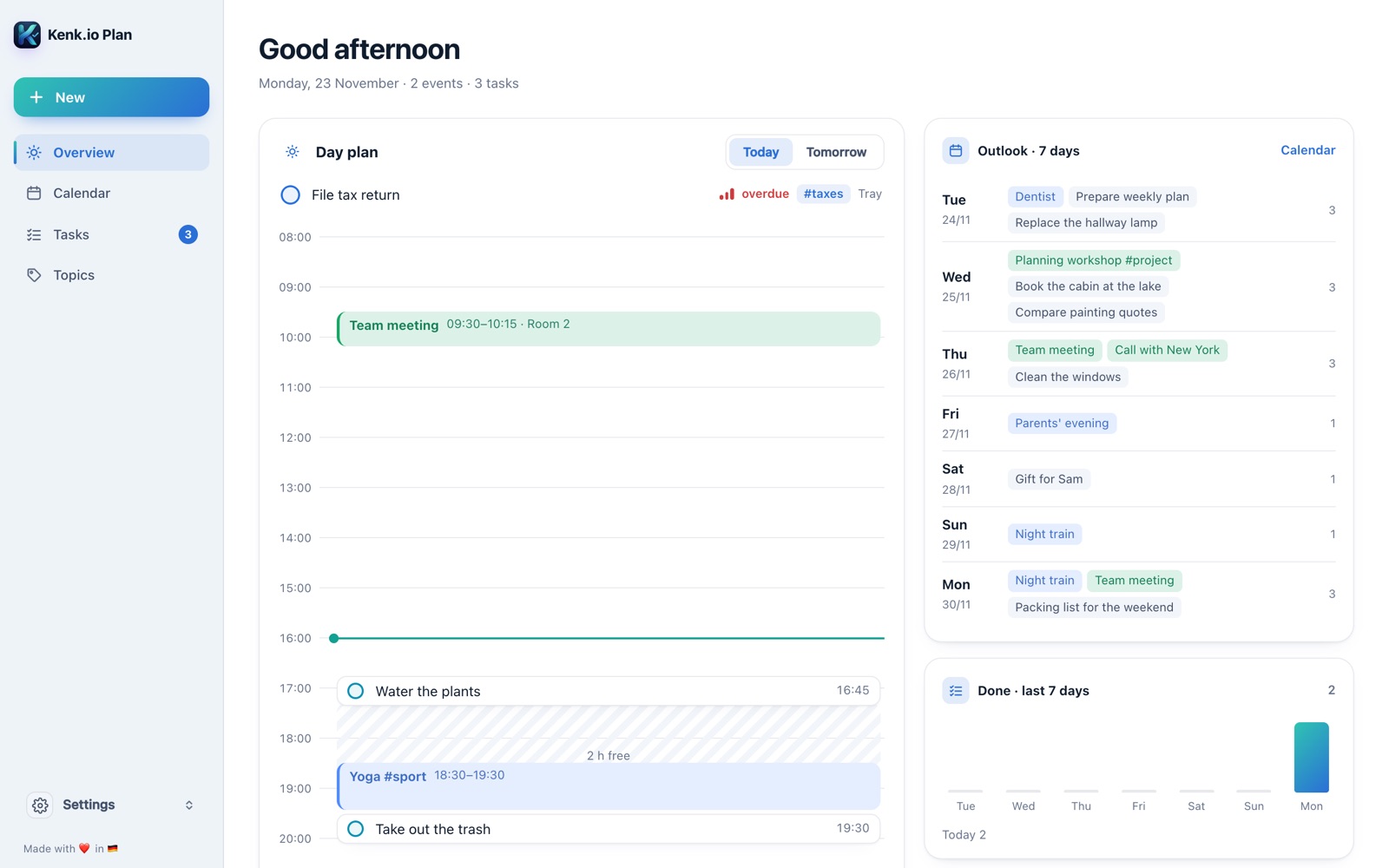
The day plan shows at the top what's due today, below it events and tasks with a time on a timeline – tick them off right there and see your free time at a glance. “Tomorrow” shows the next day.
Next to it the outlook on the week and what you have done.

How-tos
-
Tasks and lists
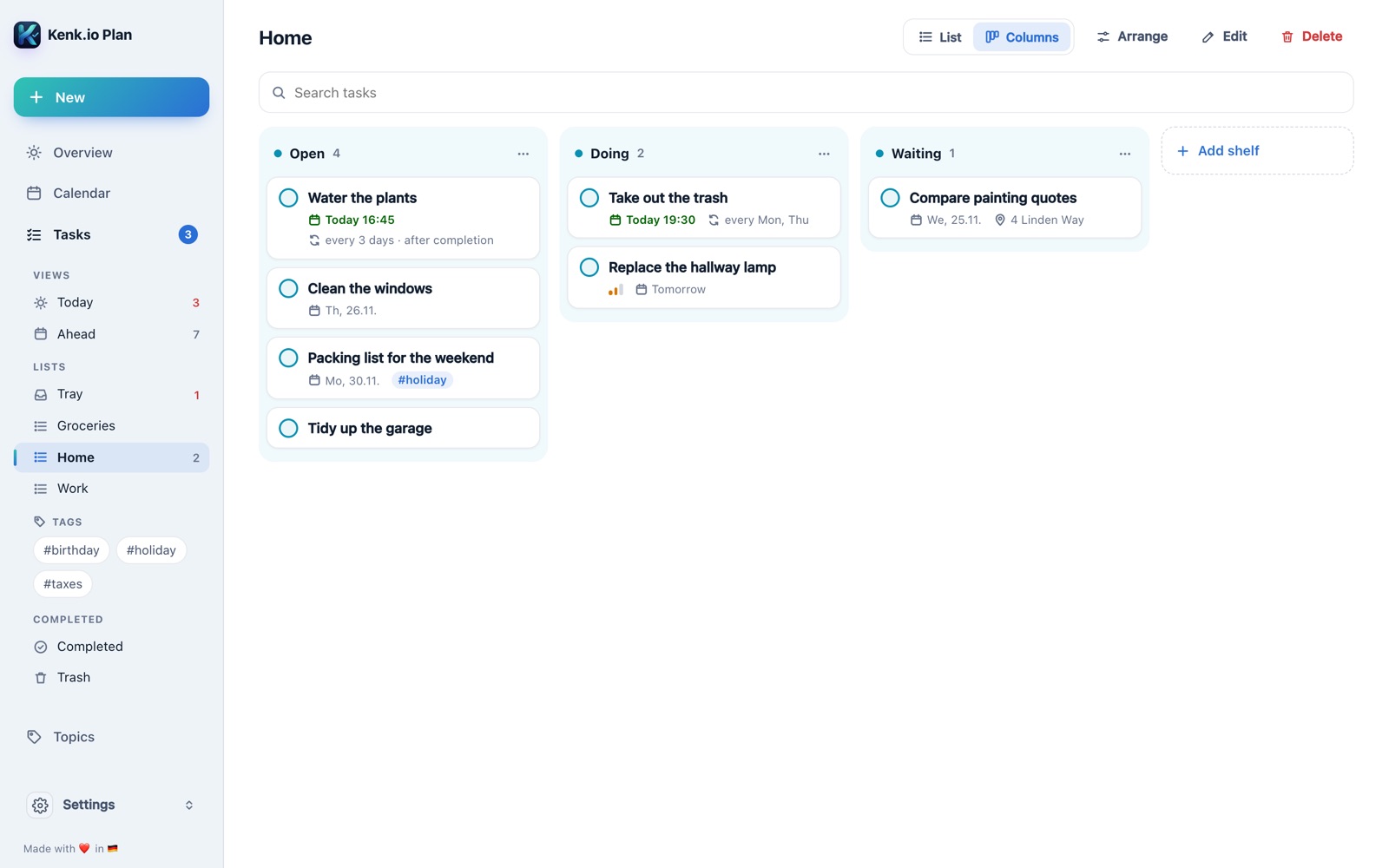
On the left the views Today, Ahead and Done, below them your lists. You create a new list via “+ New”. Tasks get a due date, time, priority, repeat, reminder and place.
Per list you switch between “List” and “Columns”: shelves like “Open · Doing · Waiting” become columns, and you drag cards to another column. “Arrange” sorts and groups, the search at the top finds tasks across all lists. Deleted items go to the trash.
-
Calendar
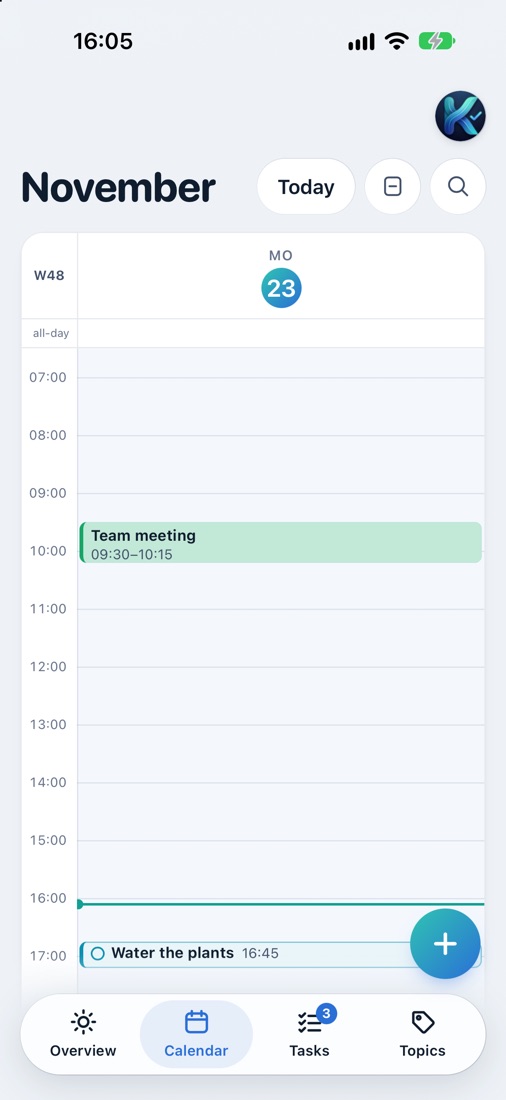
Kenk.io Plan shows the events from your device's calendar together with your tasks – as day, week, month or list, on the iPhone also as three days. Which calendars you see is set up as usual on your iPhone or Mac.
You view events in Kenk.io Plan; “Open in Calendar” takes you to the event in your device's calendar, where you edit it. “+ Event” opens its window for a new event. A click into free time creates a task.
-
Topics
Write
#wordin a task's title or add a tag – under “Topics” everything about it is on one page, with what is due next. Events get tags too; they only live in Kenk.io, your calendar stays as it is. -
Moving from the browser
If you have been using Kenk.io Plan in the browser, download your data there under Kenk.io ID → Data. In the app, choose “Import from Kenk.io …” under “+ New” and the file – beforehand you see what will be added.
-
Sync
Sync is currently in testing and only available with access. With sync, iPhone and Mac keep your lists in step – end-to-end encrypted, the server only sees encrypted data. You sign in with your Kenk.io ID; you confirm each further device with a number that is the same on both devices.
Sharing lists with others is coming soon, with teams.
-
Your AI
Your tasks live as Markdown in your Kenk.io folder, readable for your own AI. It writes new tasks into
Plan/Inbox.md, and Kenk.io Plan takes them over by itself. Kenk.io itself never calls an AI.


iPhone or Mac?
Both show the same lists – kept current on both with sync. Each device plans its own reminders. A few things only work in one place:
- Keyboard shortcuts, such as ⌘1–⌘4 for the calendar views
- Your AI on the Kenk.io folder
- Calendar as three days
Frequently asked questions
- Where are my tasks?
- On your iPhone and Mac in the Kenk.io folder. With sync, also encrypted on the server in Frankfurt.
- Which calendars does Kenk.io Plan show?
- The calendars on your device, as you have set them up there.
- Do I need an account?
- No. You only need an account for sync and teams.
- I use Kenk.io Plan in the browser. What now?
- With “Import from Kenk.io …” under “+ New” you bring your tasks into the app.
- Can I create events in Kenk.io Plan?
- “+ Event” opens your device's calendar window. You edit events in the calendar itself.
- Do I get reminders?
- Yes. Your device reminds you at the time of a task, without any server.
- Can I share lists?
- Soon, with teams. They come with the subscription for sync and teams.
- Is there Kenk.io Plan for Android or Windows?
- Coming at the launch in January 2027, on Windows at first without the calendar.
- What does Kenk.io Plan cost?
- The app is free. Kenk.io Sync costs €4.49 per month or €39.99 per year, the family plan for up to 5 people €6.99 or €59.99. One subscription covers all Kenk.io apps, available from January 2027.
- Who needs a subscription in a team?
- Only the person who creates the team. Invited members join without their own subscription, up to 5 members per team.
Contact
Write to info@kenk.io. In the app, it's under Settings.